A simpler way to launch AE directly from ARGUS Intelligence Platform
Summary
ARGUS Enterprise (AE) now launches directly from ARGUS Intelligence Platform with a single click - no Citrix Workspace install, no launch file to download and run, and no re-entering your login each session.
For full details on what's changing and when, visit the ARGUS Enterprise 2026 Platform Updates page.
What you need to do, and by when
Your setup | Deadline | What to do |
|---|---|---|
ARGUS Enterprise run via the ARGUS Cloud portal (Citrix) | By early January 2027 | Set up and test ARGUS Intelligence Platform authentication. |
Key highlights
1. One-click launch, no Citrix required
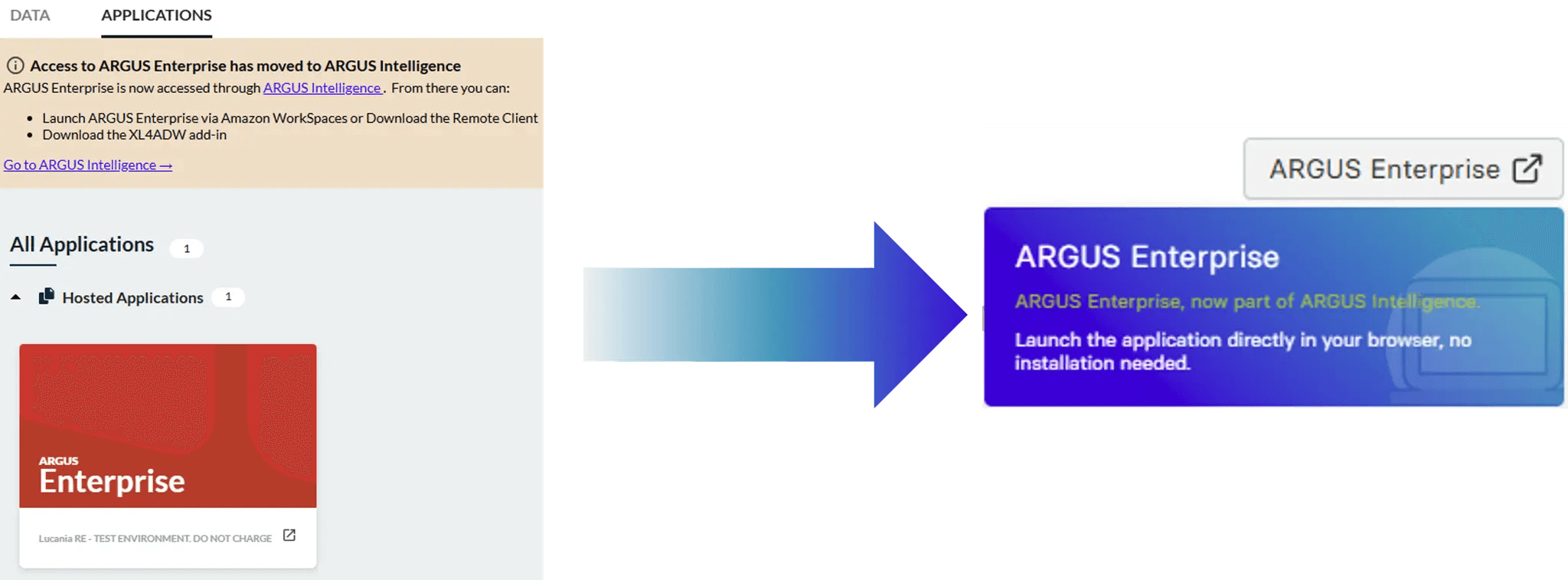
ARGUS Enterprise is moving off Citrix. Instead of logging into the ARGUS Cloud portal and navigating to a Citrix launch link, there's now a single button to launch ARGUS Enterprise directly from the ARGUS Intelligence Platform homepage.
What this means for you:
No software to install: Access runs entirely in the browser — nothing to install, nothing to maintain locally.
No more repeated logins: Launch in one click, without re-entering your credentials each session.
A managed transition: Citrix and the new browser-based launch both work side by side, so you can move over on your own timeline. By early January 2027, Citrix access ends and ARGUS Intelligence Platform becomes the only way to launch ARGUS Enterprise.
How to launch: Log in to ARGUS Intelligence Platform and click the ARGUS Enterprise button on the homepage — the application opens directly in your browser.
2. Open the model behind any dashboard, directly
ARGUS Intelligence Platform and ARGUS Enterprise are also more closely connected. You can now open the ARGUS Enterprise model behind a property directly from ARGUS Intelligence Platform, without navigating through the folder structure inside ARGUS Enterprise to find it.
What this means for you:
Faster access to the right model: Go straight from an asset or portfolio view into the underlying model — no more searching through portfolio, scenario, and model folders.
One less system to switch between: Move between portfolio-level analytics and asset-level models without leaving your workflow.
What stays the same
Your data, models, workflows, and settings inside ARGUS Enterprise are unchanged. This release changes how you get into the application — not what you can do once you're there.
Visit the Altus support community
Get technical, software and licence support from the community. Ask questions, give answers, submit suggestions and learn more about your software solutions – with your commercial real estate colleagues.