ARGUS Enterprise is now part of ARGUS Intelligence
ARGUS Intelligence doesn’t change how you use ARGUS Enterprise - it elevates it. By adding deeper insights, greater accessibility, and enhanced context, it brings more value to every property model you build.
As an ARGUS Enterprise user, you can now access ARGUS Intelligence in just a few steps
ARGUS Intelligence includes ARGUS Enterprise PLUS model comparisons, interactive asset-level dashboards - all delivered on a new, modernized interface. Getting started is easy.
Enable ARGUS Intelligence
If you use ARGUS Enterprise, you already have ARGUS Intelligence. Your ARGUS Cloud admin is automatically your ARGUS Intelligence Organization Administrator.
Ask them to:
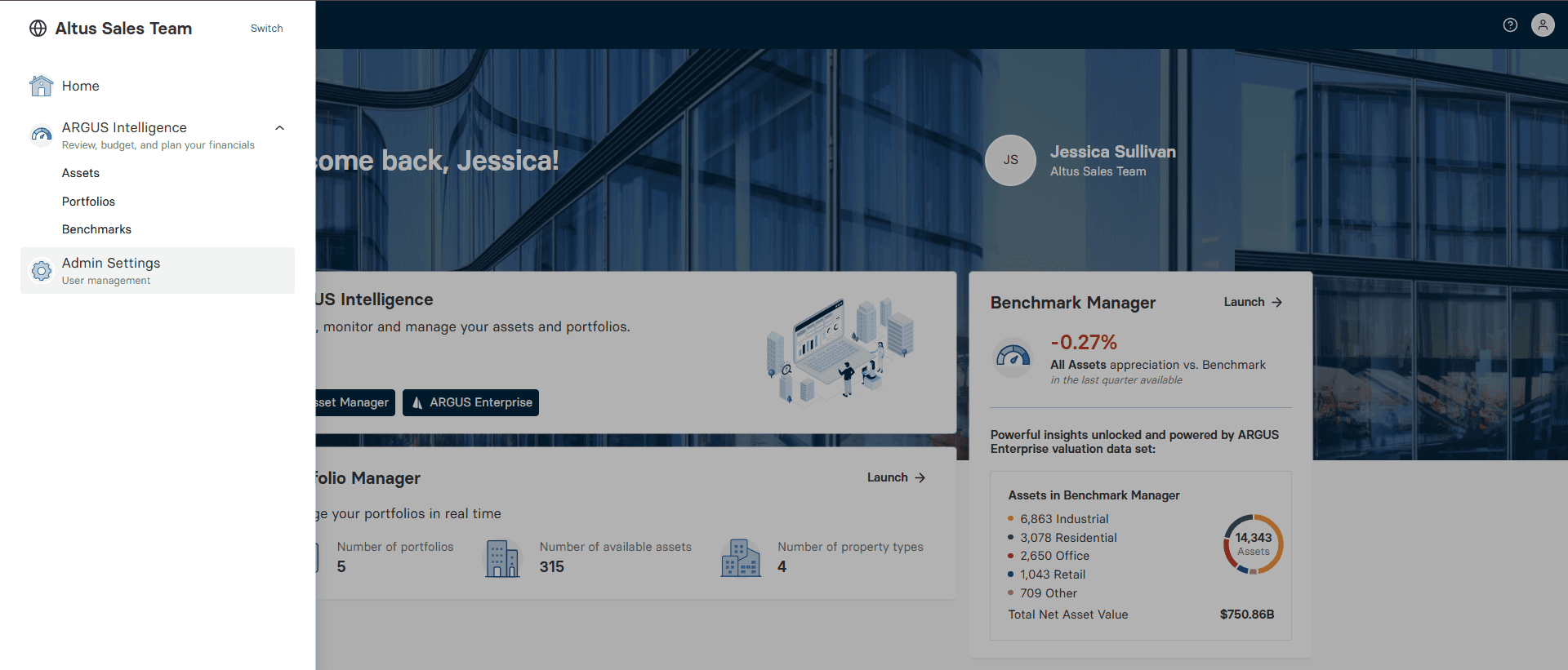
Log into ARGUS Intelligence
Assign permissions (to see assets)
Resend the invitation
You will receive an invitation via email to join ARGUS Intelligence.
Add addresses to the models
ARGUS Intelligence organizes all your ARGUS Enterprise models by a verified property address. If you have multiple models for the same address - acquisition, budget, or scenarios - they’re automatically grouped so you can pick the right one for each use case.
In ARGUS Enterprise:
Open each property model and add addresses, or
Bulk update the property addresses of multiple models using the asset summary view.
Click on the video for a quick overview of adding addresses.
Classify the models
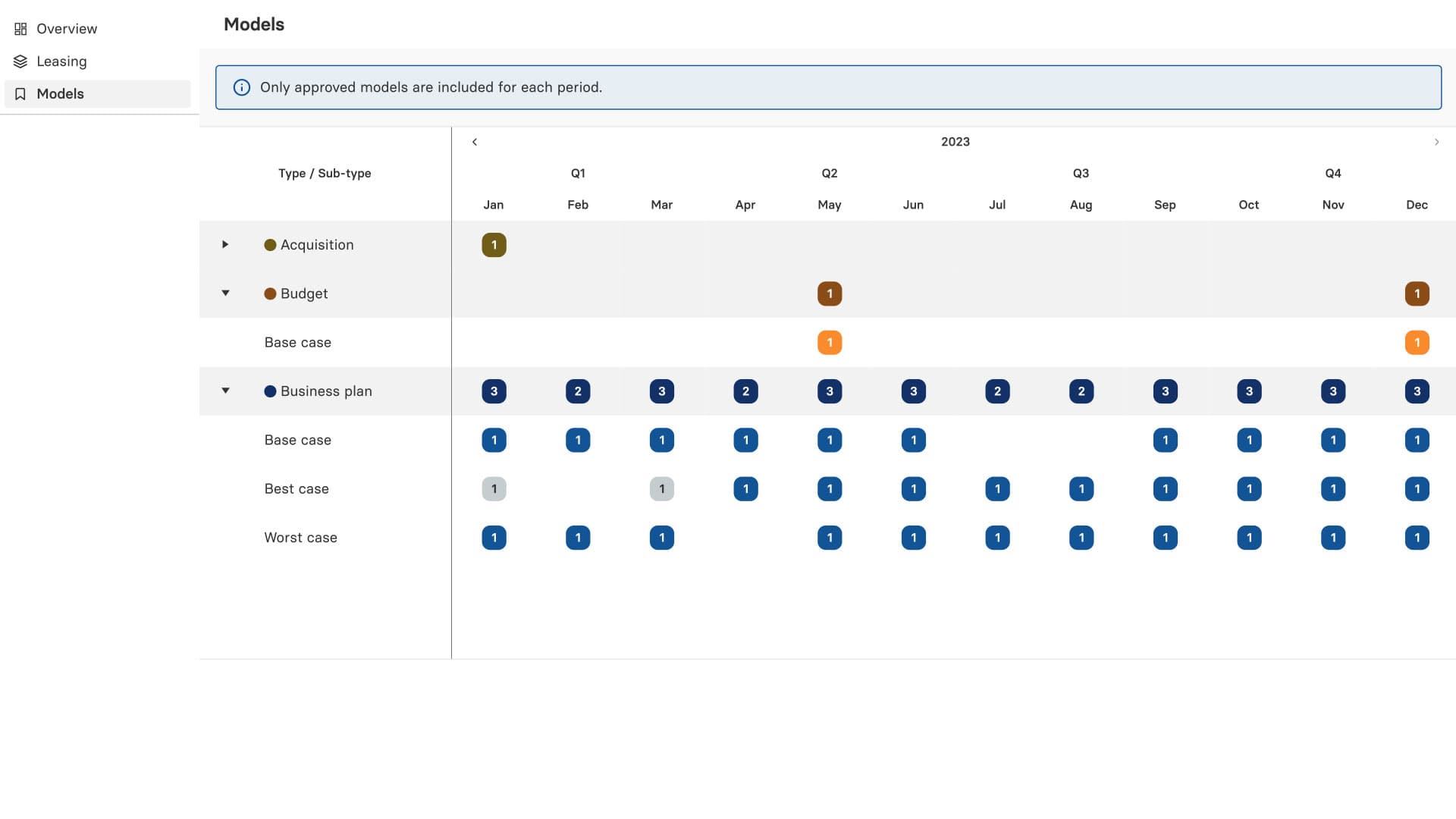
Many models can exist for each property. ARGUS Intelligence organizes them by types - acquisition, valuation, budget, business planning or what-if scenarios allowing you to easily find and compare different models, and/or correctly aggregate them.
In ARGUS Enterprise:
Open each property model and add a model type under classifications, and
Ensure the status is switched to “approved”
or
Bulk update property classifications using the Asset Summary view (permission needed - ask your administrator)
Key features
Advanced asset insights
New dashboards allow instant access to a high-level view of all your property models. Filter and find asset and properties quickly and easily. Review the version history of each model, including updates and scenarios, all in one place.
New complex asset rollup capabilities combine multiple models of different property types to get a more complete view of mixed-use assets (e.g. shopping centers, corporate campuses).
Organized and accessible
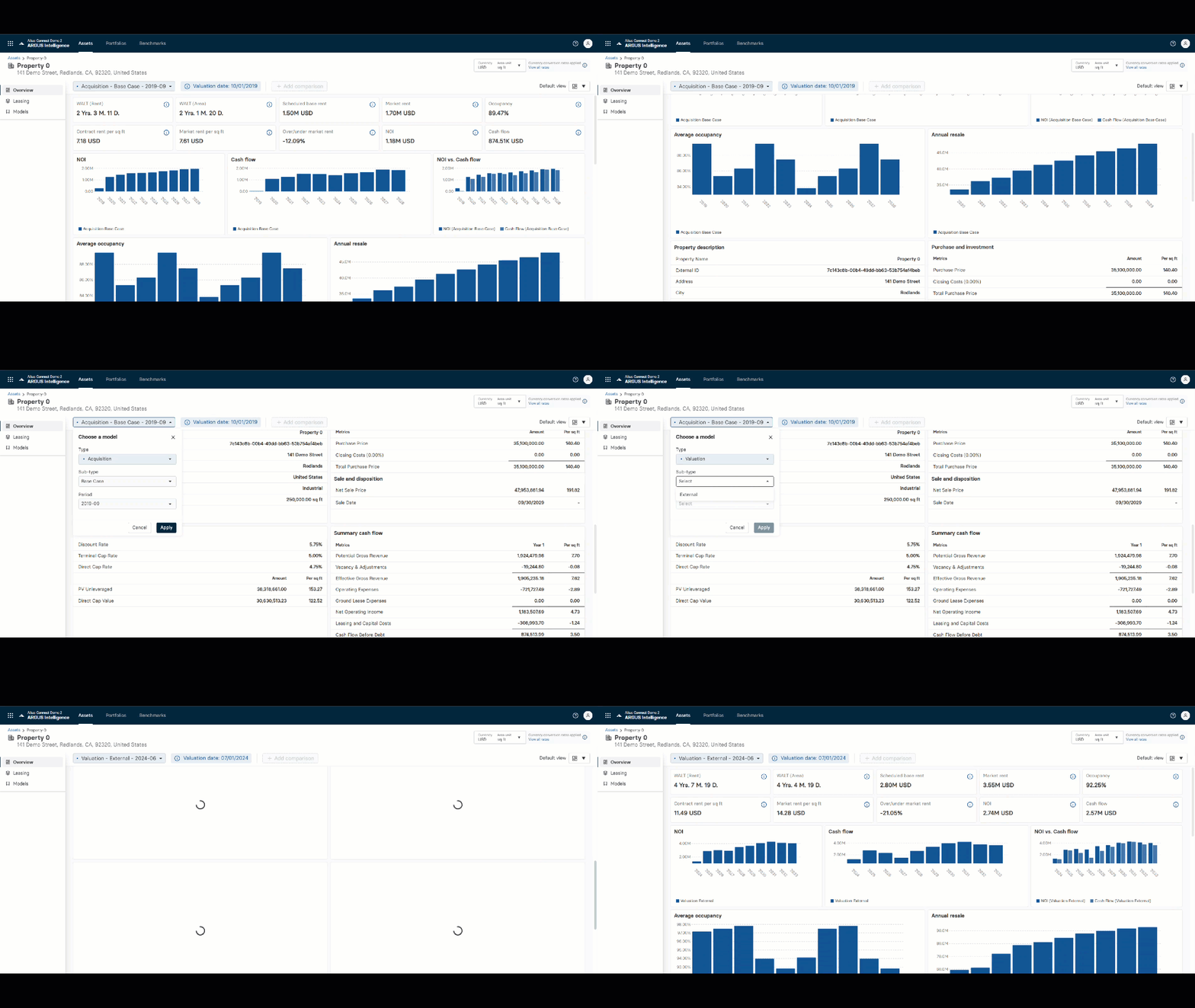
ARGUS Intelligence keeps your ARGUS Enterprise models in one place – easy to access.
Users and stakeholders with approved access to a property or portfolio can find and view dashboards, KPIs, and drill down into the details of a property model without having to open ARGUS Enterprise.
Model comparisons
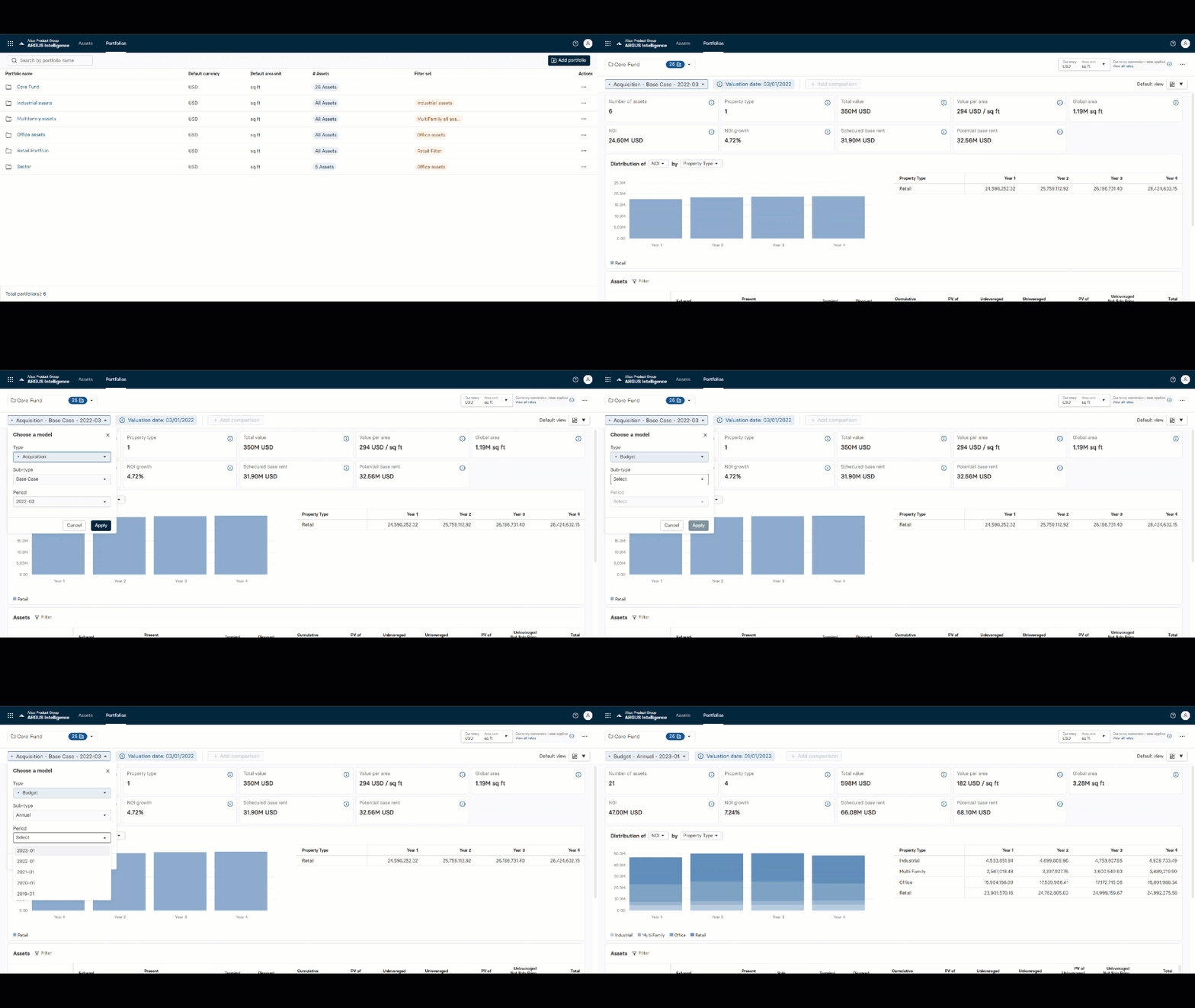
Analyzing asset models and comparing versions is easier and more powerful in ARGUS Intelligence.
Compare different quarterly valuation models for each asset or compare worse and best-case forecasts side-by-side on the dashboard.
Side-by-side model comparisons adds a powerful tool for smarter decisions not found in ARGUS Enterprise alone.
Rent roll import
Quickly create or update your ARGUS Enterprise property models using the new rent roll import function in ARGUS Intelligence.
Import all type of Rent roll templates: ARGUS Intelligence will read your MS Excel files, analyze row and column and propose a field mapping.
This feature handles the most complex part, the leases, giving you a strong foundation to start. Help you save time, improve accuracy, and reduce errors.
Scenario simulation
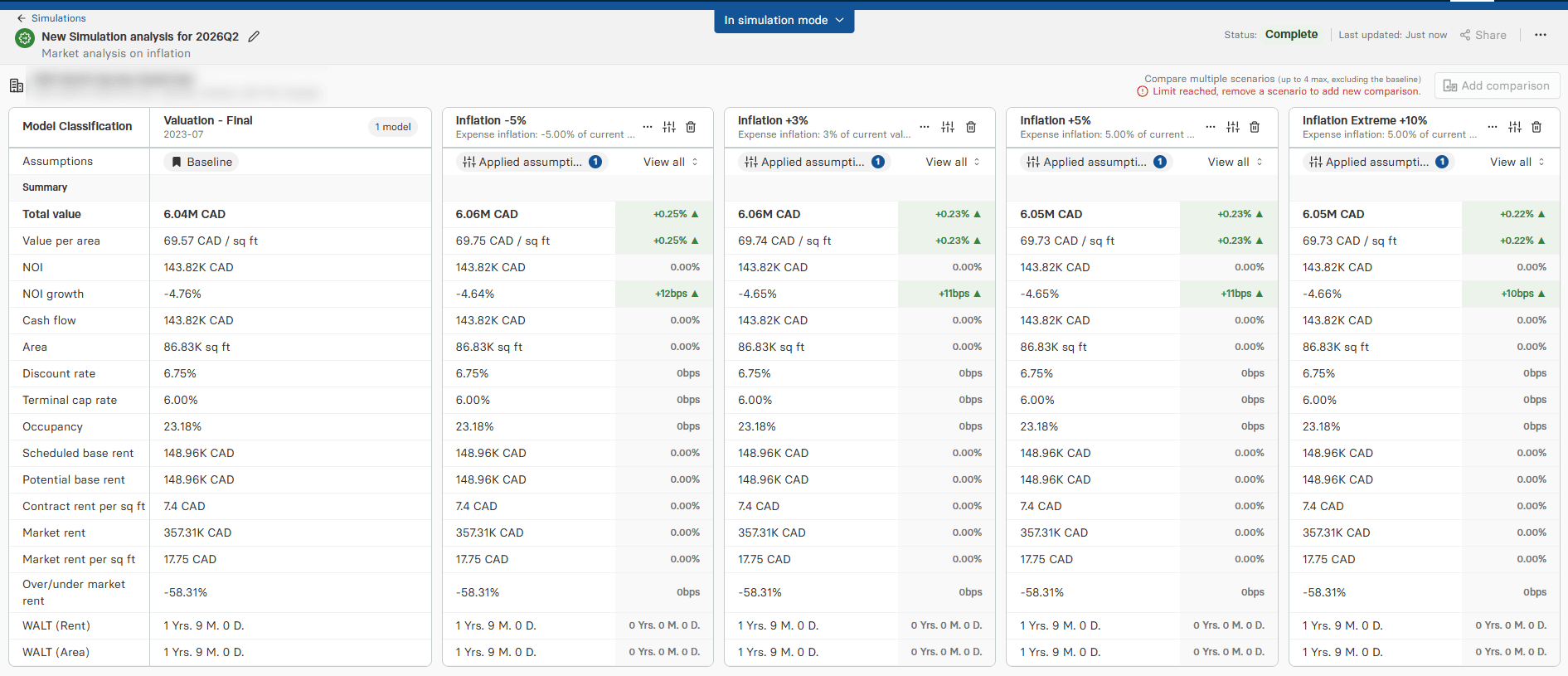
Build confidence in investment decisions with multi-scenario stress testing that helps you assess potential risk across assets and portfolios.
Run simulations directly from property dashboards in one click and compare up to five scenarios side by side to quickly evaluate the impact of different assumptions. Track progress in real time and update inputs intuitively to streamline analysis.
Store and reuse scenarios in a centralized library to support knowledge sharing, access historical simulations, and receive alerts when models are out of date.
FAQ
Get answers to commonly asked questions about ARGUS Intelligence
Do I need to update my ARGUS Enterprise version to use ARGUS Intelligence?
How do I access ARGUS Intelligence?
Will my ARGUS Enterprise username and password work for ARGUS Intelligence?
How to access Asset Summary view in ARGUS Enterprise?
on-demand webinar
Harness the full power of ARGUS Enterprise with ARGUS Intelligence
In this webinar, we’ll demonstrate how ARGUS Enterprise is part of ARGUS Intelligence. We’ll showcase the expanded capabilities of ARGUS Intelligence to deliver deeper insights, stronger portfolio visibility, and smarter decision-making across your CRE investments.

Need help?
If you have any questions or need assistance getting started in ARGUS Intelligence, our team is here to help. Contact your account manager or customer support. You can also log into the support community for more information. Training guides and training videos are available in ARGUS Intelligence.